Drop your Amazon order history
Use the
Retail.OrderHistory.*.csv file from your Amazon data export. Don't have it? See the steps below.Drop your CSV file here, or click to browse
Accepts .csv files
Read on your device. Nothing is uploaded or stored.
No file yet? Get it from Amazon in 5 steps
Amazon takes a few hours to a few days to prepare it. Request it now and come back when the email lands.
- Open Amazon's Request Your Data page for your store: amazon.in, amazon.com, amazon.co.uk. Sign in if asked.
- In the dropdown, pick Your Orders and click Submit Request.
- Open the confirmation email from Amazon and click Confirm data request. Nothing happens until you do this.
- When the "your data is ready" email arrives, download the zip and unzip it.
- Open the
Retail.OrderHistoryfolder and drop theRetail.OrderHistory.*.csvfile above.
Prefer your own AI? Use this prompt
Paste it into ChatGPT, Claude, Gemini or any AI that reads files. Attach the
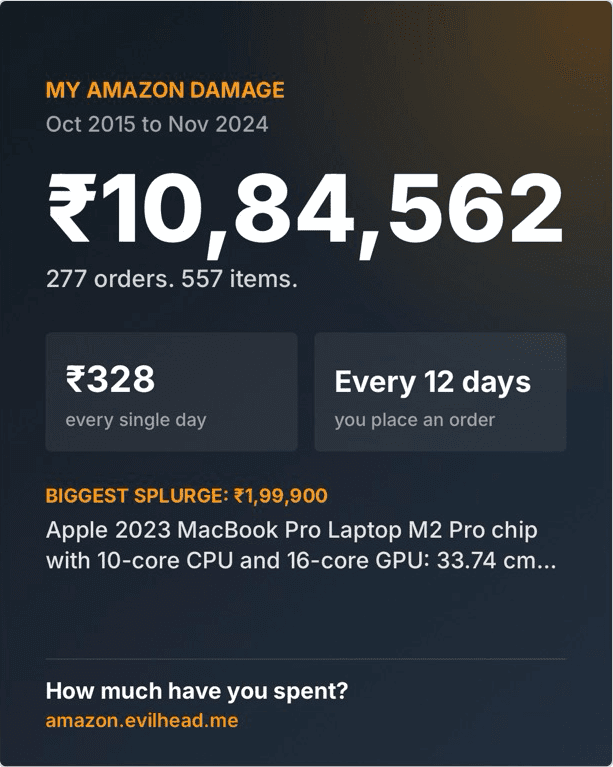
Retail.OrderHistory.*.csv file, or the whole export zip if your AI accepts zips, and get the same analysis we show here.You are a careful data analyst. I have attached my Amazon data from Amazon's "Request Your Data" download. It may be the whole export (a zip or a folder with many files) or just the order history CSV. Analyse it and report how much I have spent on Amazon. If you can run code, use it so every number is computed exactly, not estimated. ## Finding the right files - If I attached a zip, unzip it first. - Use only the order history files: any CSV named like "Retail.OrderHistory.<number>.csv", usually inside a folder of the same name (for example "Retail.OrderHistory.1/Retail.OrderHistory.1.csv"). There can be more than one. - If there are several, combine them into one table and drop rows that are exact duplicates. - Ignore every other file (digital orders, cart items, returns, concessions, README files and so on). Tell me which files you used and how many rows each had. - If you can't find any Retail.OrderHistory file, stop and tell me instead of guessing from other files. ## Data rules (follow these exactly) Columns to use: - "Order ID", "Order Date", "Currency", "Website", "Total Owed", "Quantity", "Product Name", "ASIN", "Order Status", "Payment Instrument Type", "Shipping Option". - Ignore every other column, especially "Shipping Address", "Billing Address" and anything with gift or tracking details. - If a column above is missing (I may have deleted it for privacy), skip only the parts that need it. Cleaning: 1. Each row is one item in an order. Several rows can share the same Order ID. 2. Parse "Order Date" as an ISO timestamp. Skip rows where it can't be parsed and tell me how many were skipped. 3. "Total Owed" is the amount paid for that row, including tax and shipping. Use it for all money figures. Treat blank or non-numeric values as 0. 4. "Quantity": round to a whole number and use at least 1. 5. Exclude rows whose Order Status is "Cancelled" (case-insensitive). Tell me how many were excluded. 6. Currency: if a row's Currency is blank, infer it from Website (Amazon.in = INR, Amazon.com = USD, Amazon.co.uk = GBP, Amazon.de/.fr/.it/.es/.nl = EUR, Amazon.ca = CAD, Amazon.com.au = AUD, Amazon.co.jp = JPY). If more than one currency remains, never add them together: keep only the currency with the most rows and tell me how many rows in other currencies were left out. Counting: - Orders = number of unique Order IDs. - Items = sum of Quantity. - Spend = sum of Total Owed. - Days covered = days from the first to the last order date, inclusive. Formatting: - Write money in the local style of the currency (INR uses lakh grouping, for example ₹12,42,471; USD uses $1,242,471). - Round headline amounts to whole numbers. Keep 2 decimals only in tables. ## What to report ### 1. Headline - Lifetime total spent - Total orders and total items - Average order value (total spent / orders) - Shopping duration (for example "10 years 3 months") and the date range (first month to last month) ### 2. The uncomfortable truth (one punchy line each) - Spend per day: total spent / days covered. "That's what Amazon has cost you every single day since <first month and year>." - Order frequency: days covered / orders, rounded, as "An order every N days" (or "X orders a day" if more than one a day). - Biggest splurge: the single row with the highest Total Owed, with its product name and amount. - Most repeated purchase: the product (grouped by ASIN, or by Product Name when ASIN is blank) with the highest total quantity, if bought 3 or more times. - Cart day: the weekday with the most unique orders and its share of all orders, as a percentage. - Peak year: the calendar year with the highest spend, its amount and its order count (only if there is more than one year). ### 3. Spending over time - A table of spend and order count for every month (YYYY-MM), oldest first. - A table of spend and order count per year. - If you can make charts, add a bar chart of monthly spend. ### 4. Top products - Top 10 by quantity: product name, quantity, total spent. - Top 10 by spend: product name, quantity, total spent. - Group by ASIN, or by Product Name when ASIN is blank. ### 5. Order patterns - Orders and spend by day of week (Sun to Sat). - Orders and spend by calendar month (Jan to Dec, all years combined). ### 6. Breakdowns (count of rows, sorted from most to least) - Order Status - Payment Instrument Type (show only the card type, never full card details) - Shipping Option ### 7. Year over year - A table with months (Jan to Dec) as rows, one column per year, and spend in each cell. ### 8. Share card Finish with a short block I can screenshot and share, in exactly this shape: MY AMAZON DAMAGE <first month year> to <last month year> <lifetime total> <orders> orders. <items> items. <spend per day> every single day <order frequency> on average Biggest splurge: <amount>, <product name, max 80 characters> How much have you spent? amazon.evilhead.me Keep the tone light and a little cheeky, but make every number exact. Do not invent data: if something can't be computed from the file, say so.
Heads up: unlike this site, an AI chat uploads your files to that provider. The whole export holds far more than orders (addresses, cart history, returns), so attaching just the order history CSV is safer. Delete its Shipping Address and Billing Address columns first, and Payment Instrument Type too if you'd rather not share your card's last 4 digits.